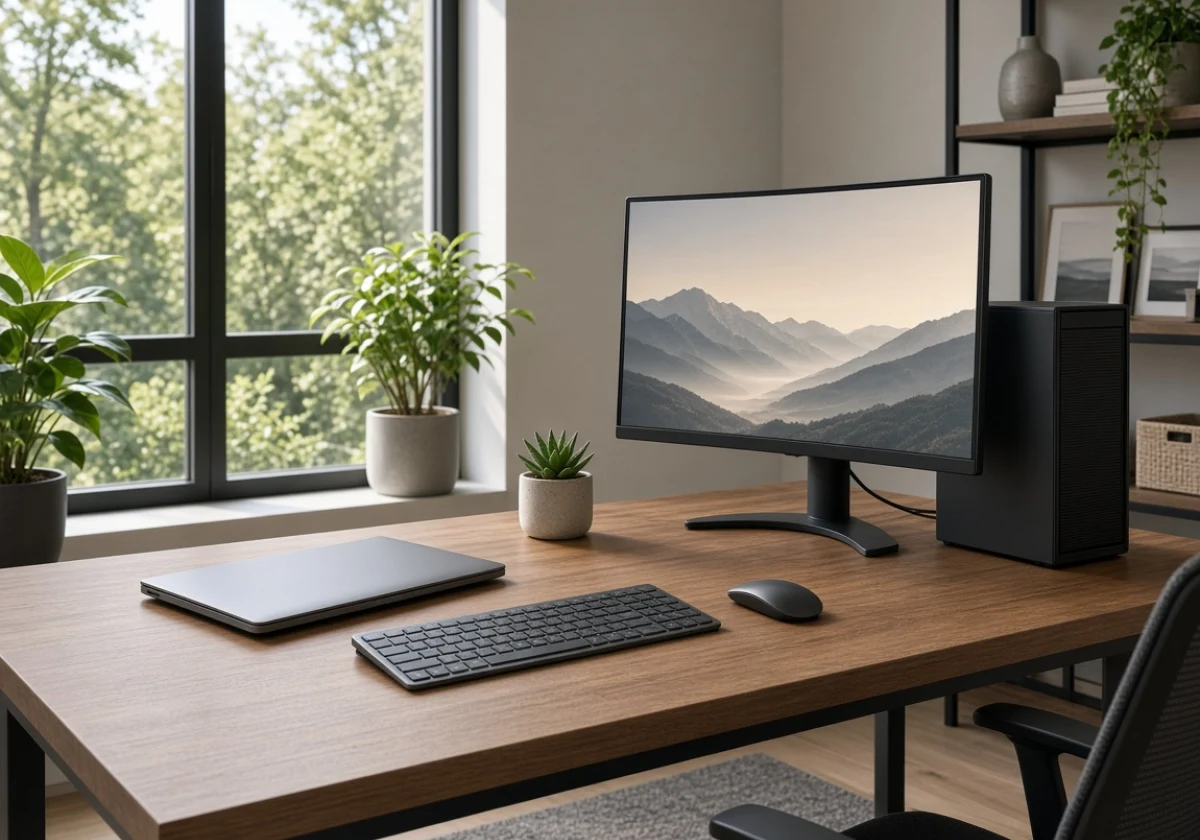
If your work stays in one place in Brisbane, a desktop rental is usually the better choice. However, if you move between work sites, a laptop gives you the flexibility to work wherever you need. Think about where you’ll use the computer each day before choosing which option offers better value.
Many renters overlook this and choose based on habit. As a result, they may pay extra for a laptop that never leaves the spare room or rent a desktop that isn’t practical for on-site work. At A Vintage Affair Rentals, we offer both options to help Brisbane renters find computers that suit their work setups.
This guide compares desktop and laptop performance, matches four common workloads to suitable machines, and explains how to compare rental options online. You’ll also learn which rental terms affect your overall cost.
Desktop vs Laptop Rental: Reading Your Desk Setup

Compare the processor, memory, storage and included accessories at the same weekly rental price. A desktop may offer stronger specifications, while a laptop includes portability and a built-in screen.
Let’s line the two up on the things that change your working day.
| Compare | Desktop rental | Laptop rental |
|---|---|---|
| Performance per dollar | More grunt at the same weekly price | Pay extra for portability |
| Where it lives | One fixed desk, big screen, full keyboard | Any desk, cafe or client site |
| Repairs and swaps | Easy part swaps while the hire runs | Whole unit replaced if it fails |
| Best suited to | Home offices, studios, gaming setups | Commuters, students, mobile teams |
Repairs are worth considering, especially if you plan to rent for several months. With a desktop, a technician can replace the memory or storage drive without changing the entire machine. Laptops offer greater convenience when you regularly work in different locations, but a mini desktop PC may be a better fit if your desk has limited space.
Which Computers Handle Which Workloads Best?
Desktops handle gaming and heavy editing best. Laptops, on the other hand, suit business work that moves between locations, so the job you do most often should pick the hardware.
Below, we’ve matched four common workloads to the machine that suits them.
Why Do Gaming PC Builds Favour a Rented Desktop?
A rented desktop is often a better choice for gaming because its larger case gives the graphics card more room to stay cool and maintain its performance. For example, a GeForce RTX card in a thin gaming laptop may slow down when the cooling system struggles to remove heat.
So before renting a gaming desktop, check which graphics card the desktop has and ask if an IPS monitor is included. Renting the screen with the desktop also saves you from buying one for equipment you’ll eventually return.
Video Editing and Graphic Design Need Sustained Power
Video editing puts a steady load on the processor, especially when exporting large files. That’s why a Mac Studio or a desktop with an Intel Core Ultra or AMD Ryzen chip is a good choice. These processors can handle long exports while you continue editing.
Memory and storage are just as important when working with large video files. If you edit in 4K, look for at least 32GB of RAM and a 1TB SSD. This will give your editing software enough memory and storage to handle large projects without forcing you to rely on external drives throughout the process.
Business Tasks That Travel Between Sites
Laptops are a practical choice for business work because you can carry them between locations. The Australian Bureau of Statistics reported that 36% of employed people usually worked from home in August 2025. With many people splitting their time between home and the office, having a computer they can use at either location makes work easier.
Most laptop rental Brisbane options include 14-inch models, which are easy to carry between desks. Look for one with a good battery so you can handle spreadsheets and calls without constantly needing a power outlet.
You can also add a dock to your rental, which lets you connect a larger screen when working at your home desk.
Everyday Study and Admin: Either Machine Works
Both desktops and laptops can handle study and admin tasks, so your choice depends on your budget and where you prefer to study. A desktop gives you a larger screen for the same weekly rental cost, which can make writing essays and completing assignments easier.
However, if you study in different places, such as the library or a Southbank cafe, a laptop or tablet gives you the flexibility to take your work with you.
Similarly, if you usually study at one desk, a desktop with a larger screen is a practical choice. On the other hand, if you regularly move between campus and home, a laptop is easier to carry and use wherever you need it.

Browsing Rental Options and Applying Online in Brisbane
The best part of renting online is comparing models, choosing a term and applying without leaving home. You get to read every spec sheet at your own pace instead of standing in a shop deciding on the spot.
Once your workload is settled, these three steps take you from browsing to a delivery date.
Site Navigation Tips for Shortlisting Computers for Rent
Start on the Home page and open the computers category instead of using the search bar. This lets you compare desktops, laptops, tablets, Apple MacBooks and Microsoft Surface devices in one place. You can also filter by brand to find options from Lenovo or Dell.
Once you’ve narrowed down the options, sort by popularity to see which products are rented most often. Then compare prices from lowest to highest and highest to lowest to find options within your budget. Keep your shortlist to three products so you can compare them without making the decision harder.
When the Contact Us Page Beats Guessing at Specs
If a listing leaves out important details, use the Contact Us page to ask for more information. For example, check whether a new Lenovo desktop comes with a monitor and keyboard. These extra items can affect the overall cost, so it’s worth checking what’s included before renting.
When sending your enquiry, include the model name and a short description of what you’ll use it for. This helps the rental team recommend a suitable model and explain any differences between new and pre-owned equipment. Checking these details first can also save you from arranging a return later.
Applying Online and Booking Brisbane Delivery
Once you’ve chosen a computer, you can apply online by providing your ID, income details and consent for a credit check. If the provider offers hire financing, check that it holds an Australian Credit Licence. You can usually find the company’s legal name and ABN (Australian Business Number) in the website footer, so verify these details before signing.
Next, choose a rental period that suits your needs and budget. Longer agreements usually have lower weekly rates, but they may keep you committed for longer.
Ask if you can return the computer after the minimum rental period, so you know when you’re free to end the agreement. Once the provider confirms your application, arrange delivery and check which equipment and accessories you’ll receive.
How to Compare Computer Rental Costs in Brisbane
Renting a brand-new desktop computer can cost less each week than a daily coffee habit. Your weekly payment covers the computer, and many rental agreements also include technical support if something stops working. This means you won’t have to pay for an entirely new machine if a part, such as the power supply, fails.
Buying a desktop outright also means tying up money in equipment that loses value over time. Renting keeps that money available for other business expenses, such as stock, rent or software. This can be especially helpful for small businesses that need to manage their cash flow.
Renting also makes it easier to keep your equipment up to date. Government guidance on leasing equipment explains that leasing can make upgrading to newer equipment quicker and easier. This matters with computers because older hardware can struggle to keep up with newer software and business needs.
So a technology rental may remain cost-effective over two or three years, depending on the agreement. Some providers also offer upgrades, allowing you to replace older equipment with newer models. Personally, we’d rather pay weekly for something that gets replaced than own a tired tower nobody wants to buy.

Sort Your Setup with a Brisbane Rental Today
Before choosing a rental, compare the total cost, included accessories and support terms for your preferred models. Check the minimum agreement period and ask about repair coverage before applying.
For a desktop, confirm the monitor and peripherals included in the package. For a laptop, check battery life, weight and connectivity. These details affect how comfortably you’ll work each day.
Ready to sort your setup? Contact A Vintage Affair Rentals for help matching the hire to the way you work.