
Short-term computer rental makes sense for business expansion projects because it lets you equip new staff on day one, without buying extra hardware.
This becomes especially useful when your staffing needs change quickly. Seasonal rushes, new contracts and temporary projects all bring extra people through the door. Naturally, every one of them needs a working laptop or desktop from the start. Without one, a team member still gets paid but can’t produce anything.
So before you spend, ask one thing: Is this role permanent, or will it only last a few weeks or months? That answer will influence how you should handle equipment hire.
In this article, we’ll cover how short-term computer rental can cut costs, support changing team sizes and simplify temporary office setups in Brisbane.
Let’s start with what buying extra computers really costs.
How Flexible Rental Options Reduce Upfront Computer Costs

Flexible rental options let you match the number of devices to your actual team size, so you only pay for what you need, when you need it. Here’s how the numbers break down in practice.
Short-Term Computer Rental vs Buying Computers
A business-grade laptop in Australia currently costs between $1,400 and $1,800 per unit. So for 20 new starters, that’s up to $36,000 in hardware alone. You still have to factor in software licences and peripherals like monitors, keyboards and docking stations.
Once you own the devices, you’re also responsible for setup, ongoing maintenance, asset tracking and secure disposal when they reach end of life. Moreover, under the Australian Privacy Act, businesses must properly wipe data from retired equipment or risk penalties of up to $50 million. Those costs still apply even when the laptops sit unused.
And the problem becomes more obvious when your staffing needs change. For example, a project might end early and reduce your team from 20 people to 8. Then you’d have 12 laptops sitting unused in storage, with money tied up in equipment you no longer need.
Buying can still make sense for permanent staff who will use the same devices for years. For short-term projects or changing team sizes, renting may give you more flexibility.
Flexible Rental Options for Temporary Staff and Project Teams
Short-term computer rental can match the length of your contract, seasonal demand, or project. You can rent the computers for a few weeks or months and return them when the work ends. This means you don’t have to store or dispose of unused equipment.
However, the comparison worth making isn’t “rental price versus retail price”. It’s how long each device will actually stay in productive use. For example, renting a laptop for three months may cost less overall than buying a $1,500 laptop and leaving it unused after the project ends.
With that in mind, always check rental terms, flexible payment options and extension conditions before you commit. That way there will be no surprises down the track.
How Computer Rentals Help Businesses Scale Up and Down
Say a project starts with five contractors, grows to 15 in the second month, and then drops to eight after the first phase ends. With computer rentals, you can adjust the number of devices as your team changes.
That kind of flexibility is hard to get with purchased equipment. After all, business expansion rarely follows a neat, predictable timeline. Business needs can change quickly as projects grow, contracts get extended, or teams become smaller.
So when your needs change, renting gives you room to adjust. Your team can return extra devices instead of storing them until another project comes along.
Laptop Rental and Equipment Hire for a Temporary Office Setup
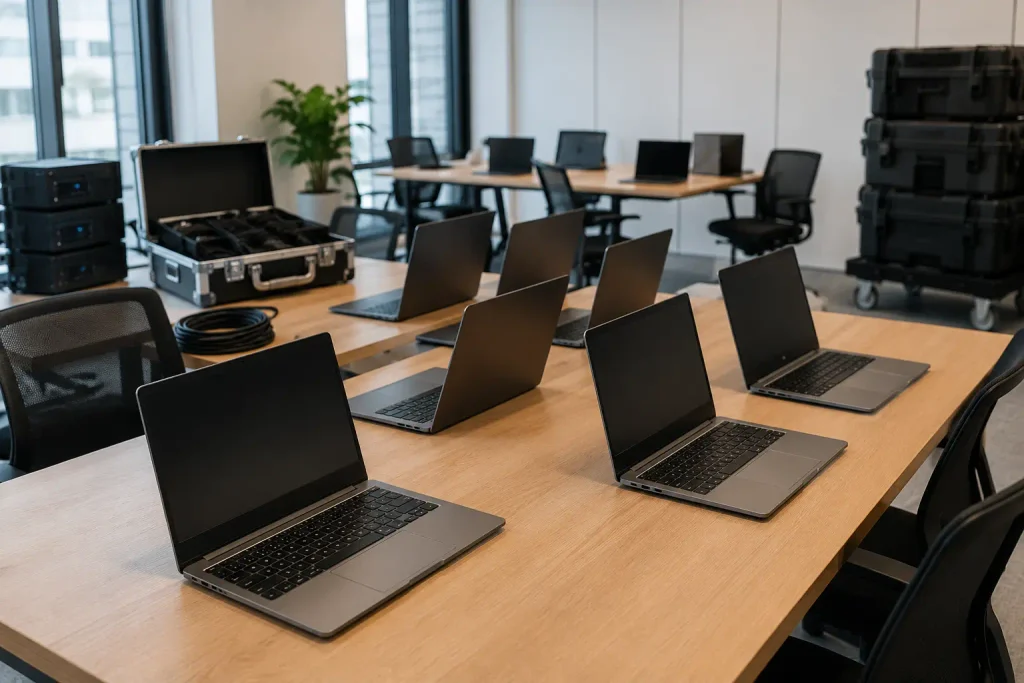
Laptop rental and equipment hire let you set up a fully working temporary office in days, instead of weeks, without buying anything permanently. These are the practical details worth getting right before you sign a rental agreement.
How to Choose the Right Laptop Computer for Your Team
Not every temporary worker needs the same laptop computer. An admin processing invoices has very different needs from a developer running virtual machines all day. So before you order anything, start with what each person will actually be doing:
- Admin and Data Entry Staff: A mid-range laptop with 8GB RAM, an i5 processor, and a 256GB SSD is enough for emails, spreadsheets, and browser-based tools.
- Developers and Designers: These roles need more power, so look for at least 16GB RAM, a faster processor, and a larger or external monitor for multitasking.
- Executives and Presenters: People who spend much of their day in meetings need a laptop under 1.5 kg, around 8 hours of battery life, and a reliable webcam.
- Event and On-Site Teams: If the work happens outside a traditional office, tablets or laptops with reinforced frames, spill-resistant keyboards, and shock protection can handle tougher conditions.
Getting the specs wrong costs you either way. In the end, paying for power nobody uses wastes money, while underpowered equipment slows your team down and eats into productive hours.
But laptop rental gives you a way to access the right device for each role without permanently buying specialised hardware. And while leading brands like Dell, HP and Lenovo are widely available, the specs and reliability for the actual task should always come before the name on the lid.
What Equipment Hire Does a Temporary Office Setup Need?
Depending on the project, your team may need desktop computers, external monitors, keyboards, mice, tablets, and printers. You might also need docking stations and other peripherals for meetings or presentations.
Hiring the equipment can help you set up a complete workspace without buying everything. However, the hardware is only part of the setup. You also need to prepare software licences, user accounts, internet access, and security settings before the devices arrive.
That leads to a cost most businesses don’t think about until it hits. According to a 2026 analysis, 43% of new hires wait more than a week for their workstation and tools to be ready. So imagine if a contractor earns $800 a day, two idle days will cost them $1,600 with no work produced. This means a cheaper computer isn’t much of a saving if your team can’t use it when they start.
What to Look for in a Business Computer Rental Company
The cheapest quote means very little if the equipment shows up late, underpowered or without the right software installed. To avoid these problems, here are the details worth checking before you commit:
- Device Specs and Condition: Confirm the processor, RAM, storage and screen size. Also ask whether devices are new, refurbished or previously rented, and what condition they’ll arrive in.
- Rental Periods and Flexibility: Some projects run longer than expected, others wrap up early. Make sure you can extend, shorten or adjust the rental mid-project without a penalty.
- Delivery and Setup: Lead times vary between suppliers, so ask who handles configuration. While you’re at it, ask whether next-day delivery is available in your area.
- Support and Replacements: Look for a rental company with a clear, fast replacement process. If a device fails mid-project, your team shouldn’t have to sit idle while waiting for a replacement.
- Payment Terms: It’s worth reviewing flexible payment options, deposit requirements and any additional charges for early returns or damage before you sign anything.
A good supplier will help you identify the equipment that actually suits your requirements. That kind of guidance is far more useful than a company that simply ships whatever happens to be sitting in the warehouse.
Planning Laptop Returns, Data and End-of-Hire Requirements
Here’s a question most businesses forget to ask until it’s too late: What happens when 20 contractors all finish on the same Friday?
Without a return plan, you could spend days tracking down laptops, chargers, cables, and other equipment. You also need to consider business files, local data, and user accounts that may still be stored on the devices.
A simple tracking system can prevent these problems. From the start, record each device, its serial number, assigned employee, and included accessories. On top of that, you’ll want a clear process for how data gets backed up or wiped before devices are returned (especially if contractors handled sensitive client information).
Ideally, you should plan the return before the equipment goes out. This helps you collect everything quickly. Plus, it protects the main benefit of renting: returning equipment when the project ends instead of storing unused computers.
So, Should You Rent or Buy Computers for Your Business?

For permanent staff with stable, long-term technology needs, purchasing still makes good sense. If someone will use the same device for two or three years, buying typically works out cheaper in the end.
But when the situation is temporary or uncertain, it helps to ask a few simple questions first:
- How many people need devices, and what will they actually be doing?
- What specs and software does each role need?
- When do they start, and how long will they stay
- Could the team size change along the way?
- Once the project wraps up, what happens to the equipment?
If most of those answers start with “maybe” or “it depends,” that’s usually a good sign that short-term computer rental is the smarter move. When demand is hard to predict, keeping your technology flexible too helps protect cash flow and avoids hardware collecting dust in a cupboard.
For Brisbane businesses after a rental setup that fits the way projects actually run, A Vintage Affair Rentals can help you get started.