
When computers suddenly go offline, an emergency laptop rental can have your team working again within hours. You skip the purchase approvals, the freight delays, and the imaging queue. Those three steps normally swallow most of a week.
Plenty of businesses learn this the hard way, usually on a Monday when half the office stares at dead screens. A Vintage Affair Rentals fields those calls after power surges, water damage, and the odd failed server.
This guide covers what hire really costs, which gear to line up first, and how fast a supplier can reach your office.
Why Does an Emergency Laptop Rental Beat Buying New Machines?

An emergency laptop rental beats buying because rented machines arrive the same day and cost far less upfront. Buying drags your finance team through approvals and purchase orders while staff sit at empty desks.
Three differences decide it for most businesses. Each one shows up in a different part of your budget.
How Fast Can Rental Laptops Reach Your Office?
Most suppliers can pick, prepare, and dispatch a laptop within four hours of your call because rental machines are already configured and ready to use.
Retail purchases often take longer because the reseller first needs to order the laptop from a warehouse. That difference is important when a team needs to get back to work quickly. In one case, a 12-person accounts team went from dead screens to processing live invoices before lunch, with two courier runs that same morning.
The laptops also arrive ready for use, with Windows updates, antivirus, and a clean user profile already set up. Your IT team only needs to add user logins and connect each machine to the network.
The Hidden Price of Panic Buying
Panic buying might cost much more than the sticker price. When you need laptops urgently, you may have to choose from the consumer models a retailer already has in stock.
That choice brings extra costs after the purchase. You may need to handle the setup, deal with limited warranty support, and accept a lower resale value when the laptops are replaced later.
Renting changes the cost structure. Instead of paying the full price upfront, you spread the cost through a monthly rental fee. One client we quoted paid about a third of the purchase price for laptops rented over a six-week gap.
The process is also simpler when the rental ends. You return the laptops to the supplier instead of finding buyers and selling used equipment yourself.
When Temporary Computer Hire Makes Sense Beyond a Crisis
Temporary laptop hire helps when your team grows faster than your usual purchasing process. You can bring in the extra computers without committing to equipment you may not need later.
That flexibility suits short projects, seasonal staff, and training rooms. You keep the laptops for the required period, then return them when the work ends. Events and trade shows use the same approach, with laptops hired alongside audio-visual equipment for a single day.
Short-term hire also gives your staff a chance to test equipment before you commit to a purchase. A two-week rental can show how well a model handles daily work (often revealing issues that a spec sheet won’t).
Business Continuity Equipment: What to Line Up Before Trouble Hits

Most firms only think about backup equipment after their screens go dark. By then, the team is already losing time, and an urgent replacement can cost more.
Hardware failure is only one cause of downtime. The Australian Cyber Security Centre received close to 94,000 cybercrime reports in 2022 to 2023, or about one every six minutes. A cyber incident can also lock staff out of their computers for days, so your backup plan needs to cover more than broken devices.
Four items belong on your plan, and none take longer than an afternoon to sort out:
- Pre-Vetted Rental Supplier: Before an outage happens, choose a Brisbane supplier you can call at short notice. Check its same-day delivery cutoff, then keep the account details somewhere managers can find them.
- Standing Hardware Spec Sheet: Your minimum requirements should already be written down, including details such as 16GB of memory and an Intel Core processor. That way, a rushed order still matches the equipment your team needs.
- Cloud Backups You Can Access: Important files should remain available even when someone loses access to their usual laptop. With cloud backups in place, staff sign in to a replacement machine and continue from the latest saved version.
- Short Internal Contact List: Keep the outage contacts simple, with three names, one mobile number and one email address. Everyone then knows who to contact first instead of several people chasing the same manager.
Keep the plan somewhere easy to find, such as inside the cupboard where your network equipment sits. A few hours of preparation helps your team get back to work sooner when an outage happens.
Choosing the Right Computers and Laptops for a Temporary Setup
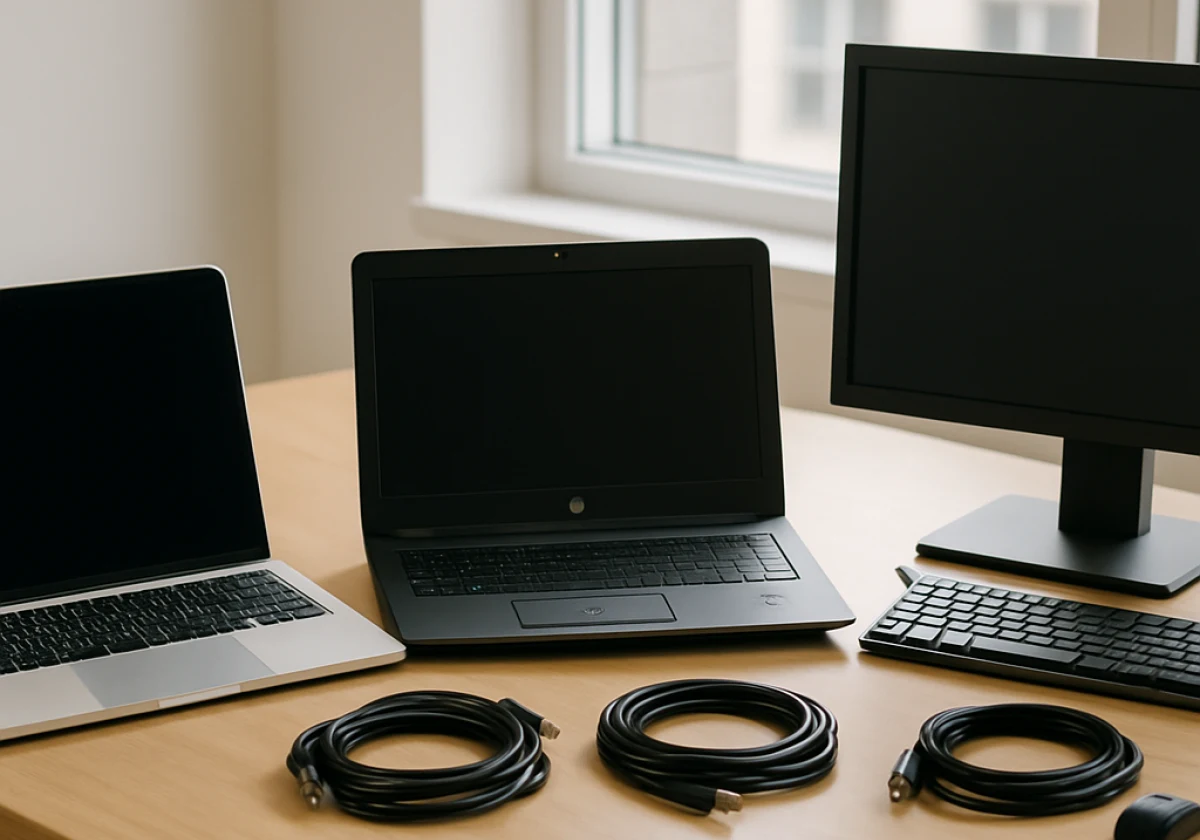
The right machines let your team work at full speed instead of fighting unfamiliar gear. Kit matched to the job also cuts the questions your IT person fields on day one.
Compare the three options most businesses land on before you confirm the order.
| Option | Typical daily rate | Delivery speed | Best use case | Setup time |
|---|---|---|---|---|
| Apple MacBook hire | $25 to $40 | Same day, metro | Design, video and marketing staff | 30 minutes |
| HP business laptops | $15 to $25 | Same day, metro | Admin, sales and accounts teams | 20 minutes |
| Desktop computer rentals | $12 to $20 | Next business day | Fixed workstations, labs, reception | 45 minutes |
Once you know the role, check which machines the supplier has available. A designer editing video needs different hardware from someone handling emails and spreadsheets, so choosing the cheapest option can create problems later.
Availability also affects how quickly the equipment reaches your team. Check the supplier’s current rental fleet before ordering, since the models already in stock are the ones available for the quickest dispatch.
The same principle applies to where the equipment will be used. Lighter laptops suit home offices and hot desks, while desktop rentals work well in fixed spaces such as labs and reception areas.
Computer Rental Brisbane Suppliers Move Faster Than You Expect
Once you know what gear you need, find a local firm that can deliver today. Brisbane laptop rental services keep their stock in the suburbs rather than a distant warehouse, so urgent orders ride the same run as scheduled deliveries.
Local knowledge counts too, and computer rental Brisbane operators know which suburbs a courier can reach by lunch. Metro runs usually land within four hours when you call before midday, covering the CBD, Fortitude Valley and out towards Ipswich.
Bottom line: ring before 11 am and the gear reaches your office that afternoon.
And before you get in touch, have three things ready: how many machines you need, the specs each role needs, and how long the term runs. If you have ever waited on hold while your team sits idle, you will value how much that speeds up the call.
Now, rental terms can range from 3 days to 12 months. Short-term hires usually cost more per week, so longer agreements make sense when you need the equipment for several months.
Some suppliers also offer monthly payment plans, which spread the cost over the rental period. For a repair that takes weeks, a monthly laptop rental can cost less than paying daily rates.
Before signing, check the rental terms, support hours, and privacy policy. Ask what happens if a laptop fails on site, and get any replacement promise, such as a one-business-day swap, in writing.
Get Your Team Back Online Today
Computers fail at the worst possible moment, and the businesses that recover fastest keep a supplier already on file. With an emergency laptop rental in place, your revenue keeps moving while you sort out repairs or insurance claims.
It helps to set this up before you need it. Save the supplier’s number, agree on the required specs, and keep the details where your team can find them.
A Vintage Affair Rentals supplies same-day laptop and desktop rentals for businesses across Australia. Contact us today to lock in delivery and keep your team working.